Plugin
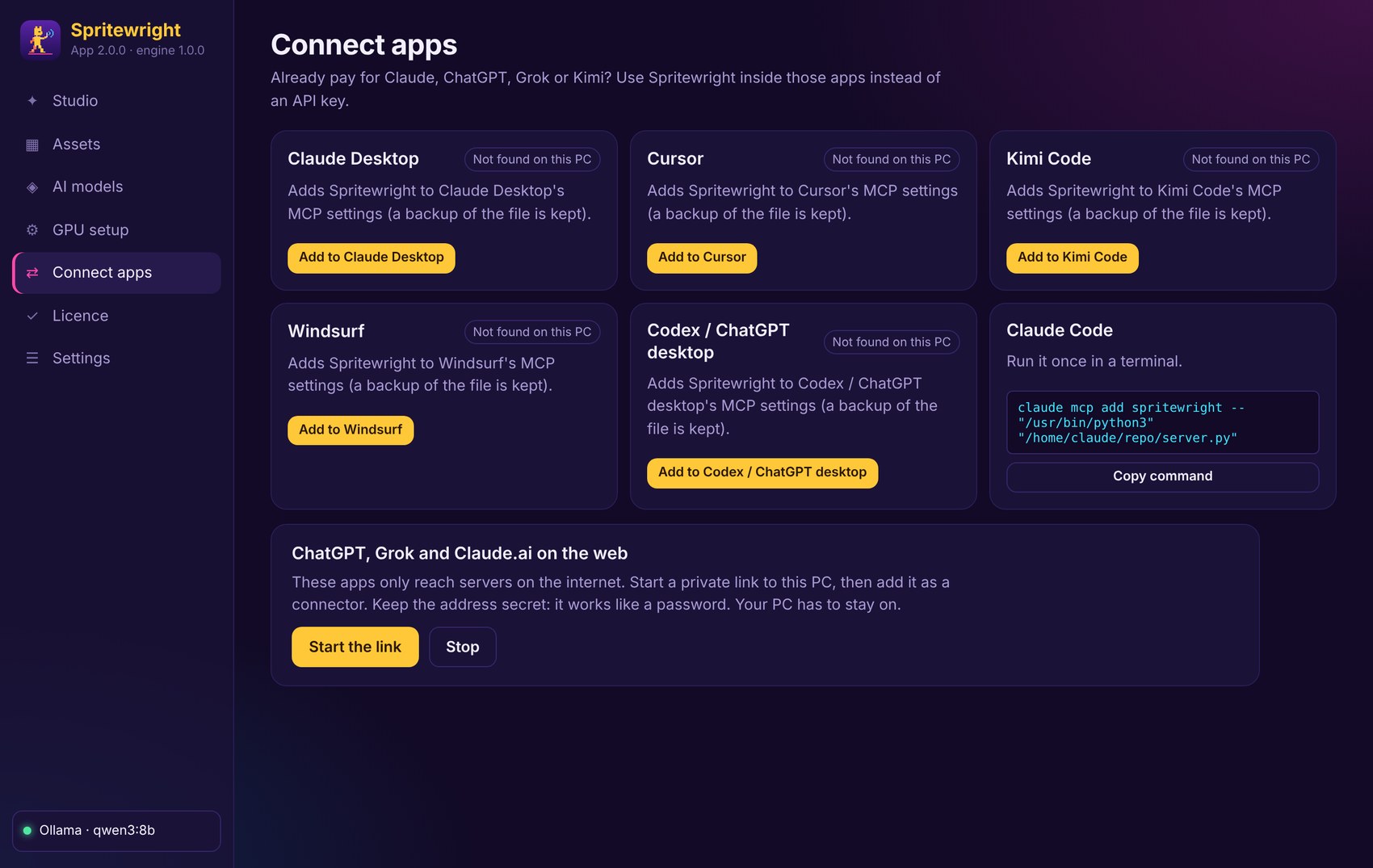
One file that installs into Claude Desktop with a double-click, and adds itself to Cursor, Kimi Code, Windsurf or Codex. Art and sound run on NVIDIA, AMD or Intel graphics.
 Voxel Pulse Games
Version 1.5 · and the Windows app, 2.0 · Early access soon
Describe your game, and Spritewright draws, cuts out, rigs and animates the characters, items, ground, backgrounds and UI, gives them sound effects, music and voiced dialogue, builds the levels and the boss fight, and exports it all to your engine, on your own PC. Use it inside Claude, ChatGPT, Grok or Kimi, or in its own Windows app with any AI you like, including free ones that run on your PC.
Play it · Sound on
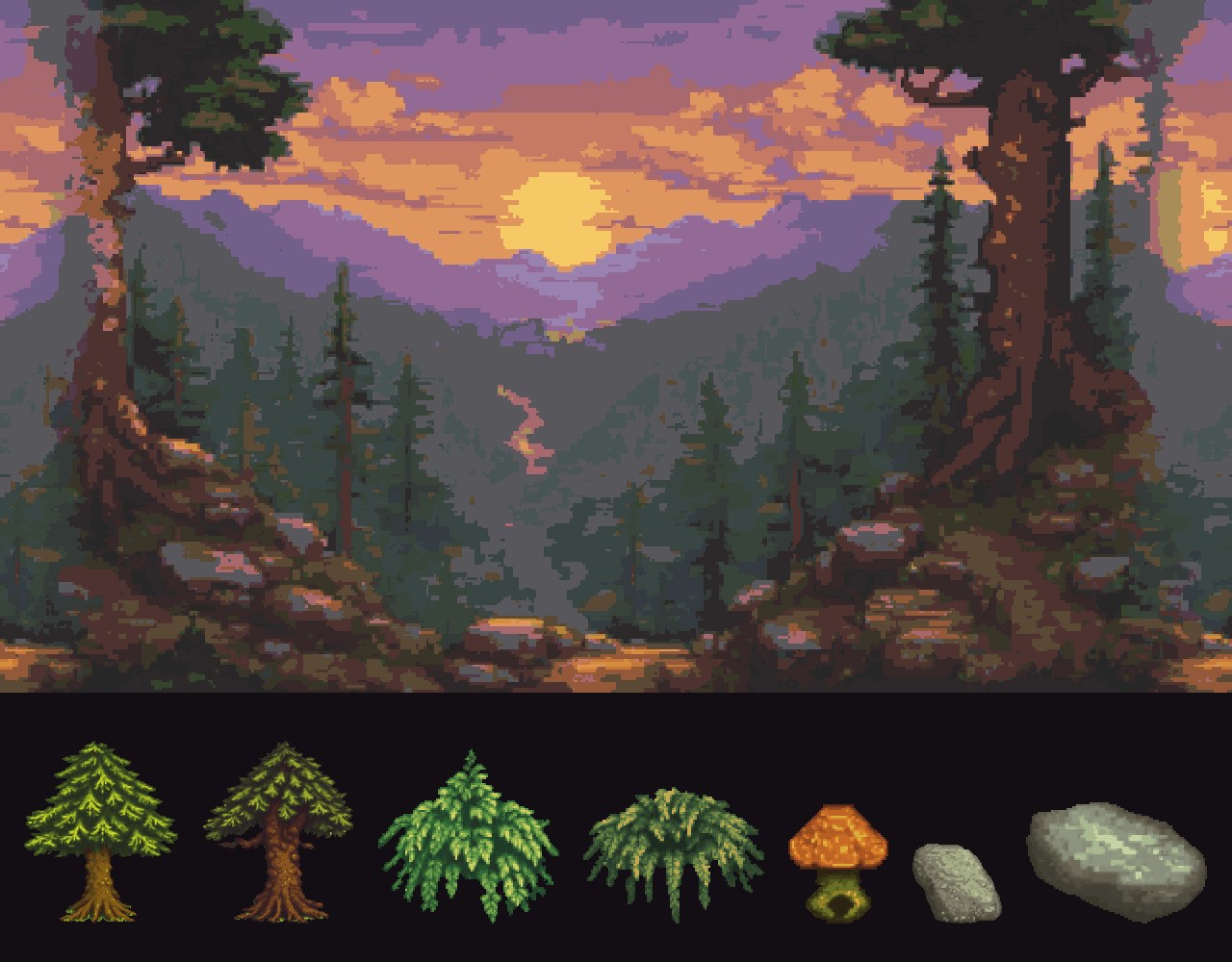
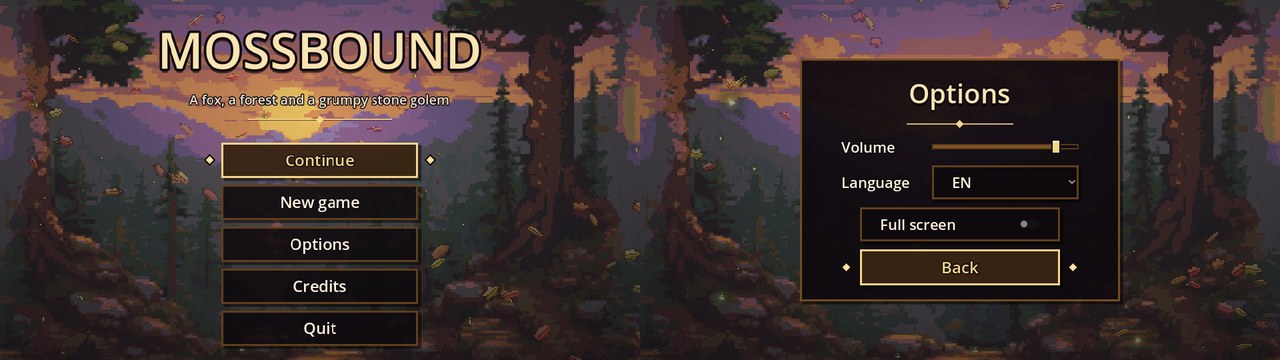
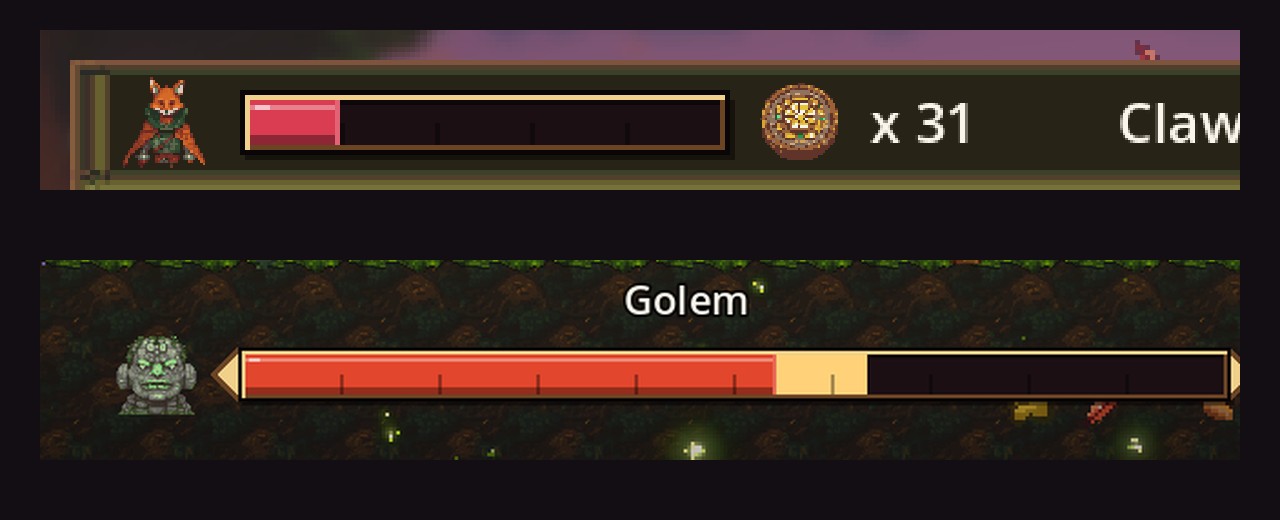
A forest platformer that ends in a locked arena with a moss golem twice the fox’s size. This build was remade with the latest Spritewright: a new sunset backdrop, ancient pines, ferns, mushrooms and mossy rocks drawn at maximum detail, falling leaves and fireflies, sword slashes and damage numbers, pixel-art health bars, a new title menu, and a boss that turns to face you and goes down in about a minute. Find a steel sword on the way and a magic staff before the gate, and switch between them mid-fight. The fox and the golem talk before and after, with talking portraits and their own voices. The art, animation, voices, music, sound effects, level and menus were all made by Spritewright.
The game downloads only when you press Play. Your browser may ask for a click before playing sound.
Made with Spritewright
Little Singularity is a calm space game where you grow from a speck of dust into a supermassive black hole. Spritewright made every picture, sound and spoken line in it; the code was written with Claude and the music was made with Mozart AI.
The game downloads only when you press Play. Your browser may ask for a click before playing sound.
Move with the mouse, a finger or the arrow keys and drift close to anything smaller than you. Modes, tips and controls →
New in 1.5
Version 1.5 adds a voice library: 11 real speakers, women and men, warm, bright, deep and storytellers. Spritewright picks one to fit each character, and every speaker in a scene gets their own. The voices are free to use in games you sell, and the credits are written for you.
Windows, Mac and Linux
Spritewright 1.5 comes for six setups. Every one is built and tested automatically before each release, so a new version reaches every computer the same day. Builds go to early access first.
One file that installs into Claude Desktop with a double-click, and adds itself to Cursor, Kimi Code, Windsurf or Codex. Art and sound run on NVIDIA, AMD or Intel graphics.
Everything in one window, no other AI app needed. Use a free local model with Ollama, or Claude, ChatGPT, Grok or Kimi with your own key.
Installs into Claude Desktop like on Windows. For the AI art it uses the ComfyUI desktop app for Mac.
The same plugin for older Macs. It can use ComfyUI on another computer on your network for the art and sound.
For Claude Code, Cursor, Codex, Kimi Code and other AI apps on Linux. Art and sound run on NVIDIA or AMD graphics.
Unpack it and point your AI app at it, on your desktop or on a machine in your network. No Python needed.
New in 1.4
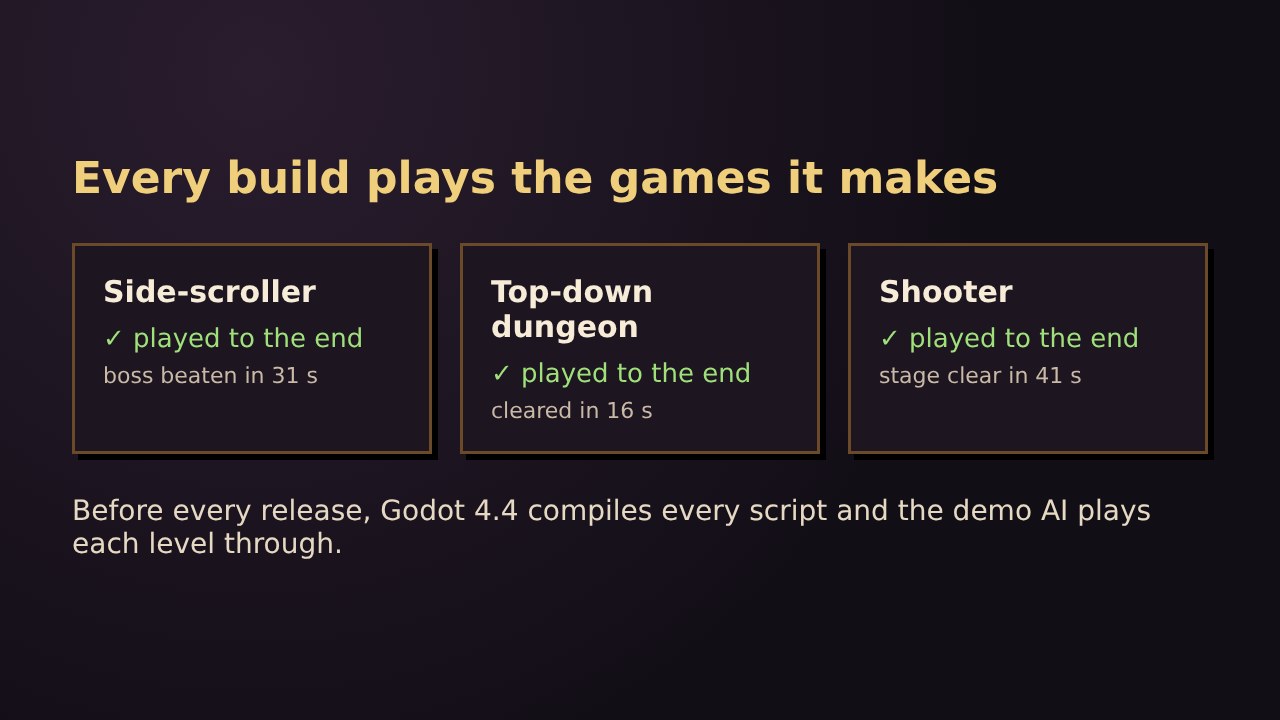
Version 1.4 makes the games Spritewright builds look finished, and checks they actually play: every kind of level it generates is now played to the end in Godot before each release.
New in 2.0 · Windows 10 and 11
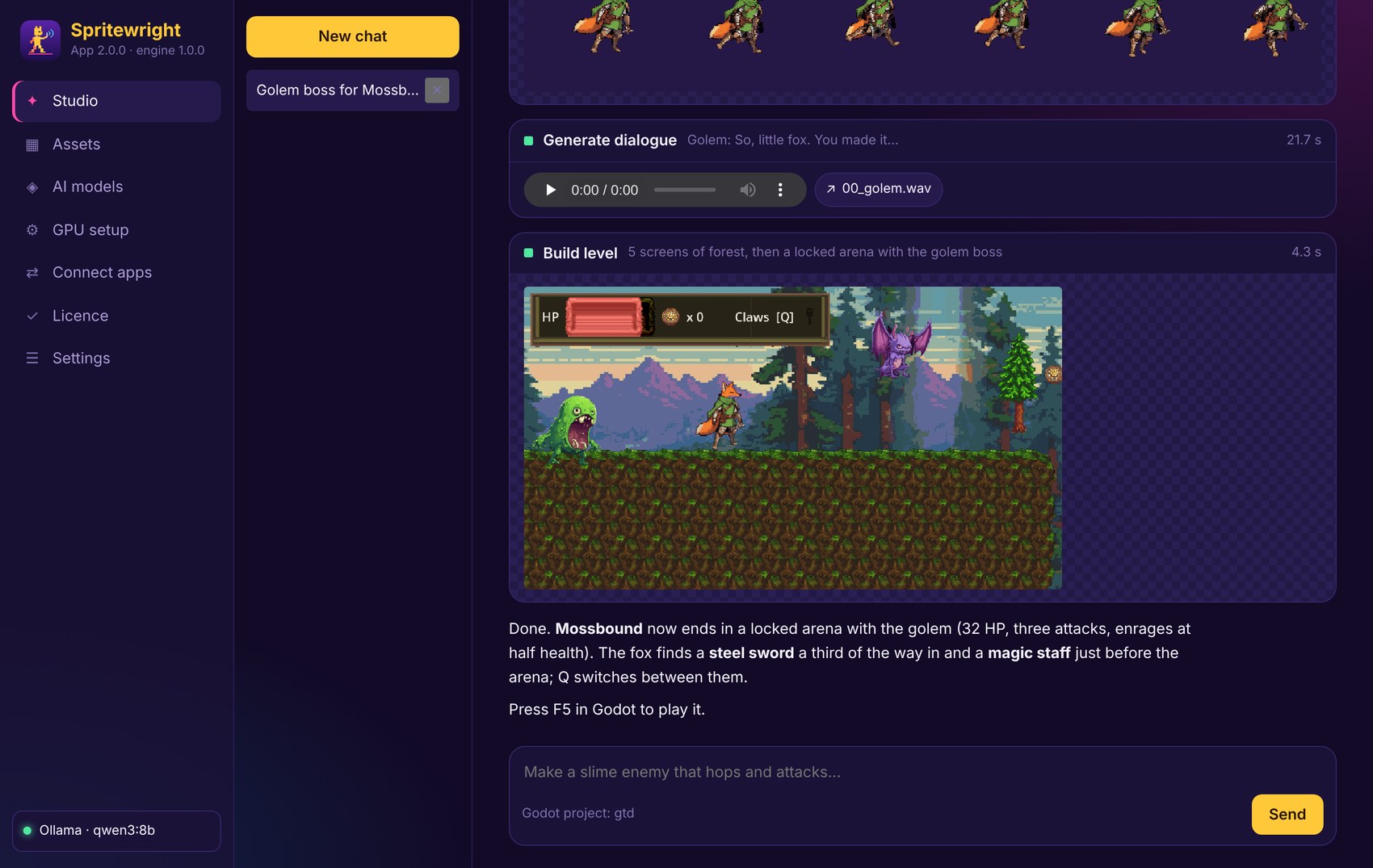
Spritewright 2.0 is a desktop app with everything in one window: a chat where every picture, animation and sound appears as it’s made, a browser for your assets, one-click GPU setup, and settings for your Godot project. Version 1.0 stays as the plugin for the AI apps you already use.
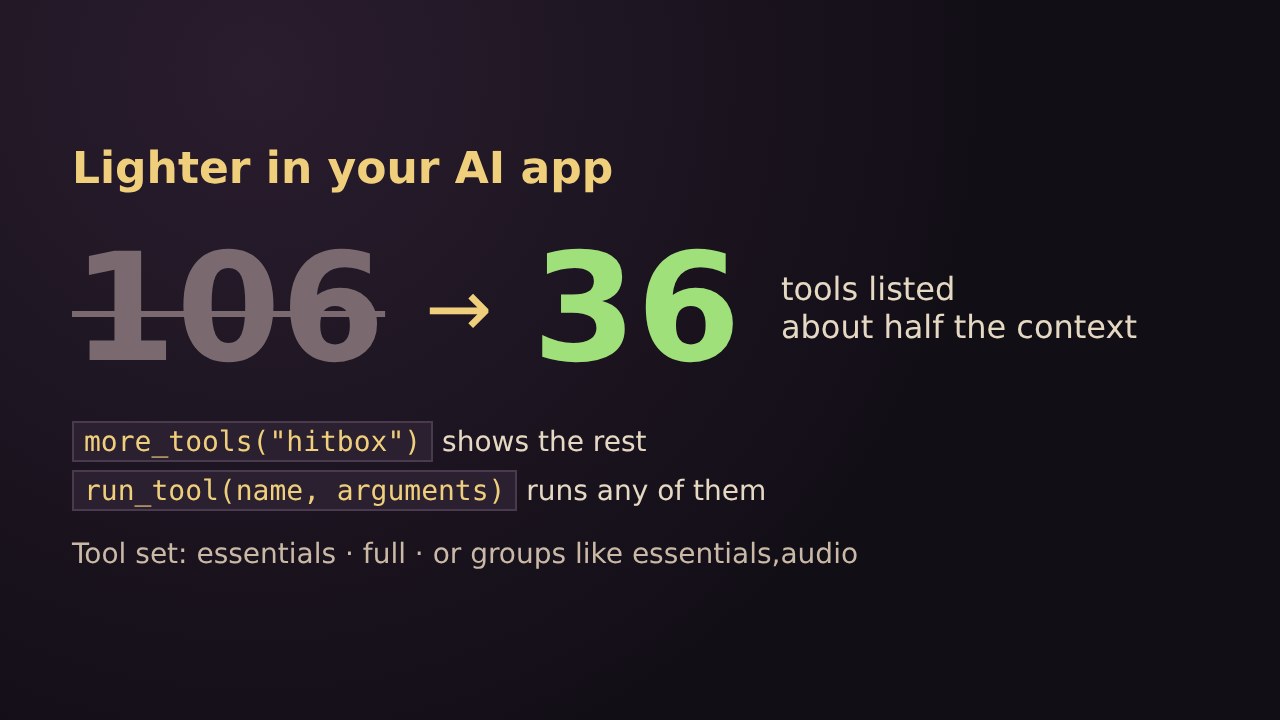
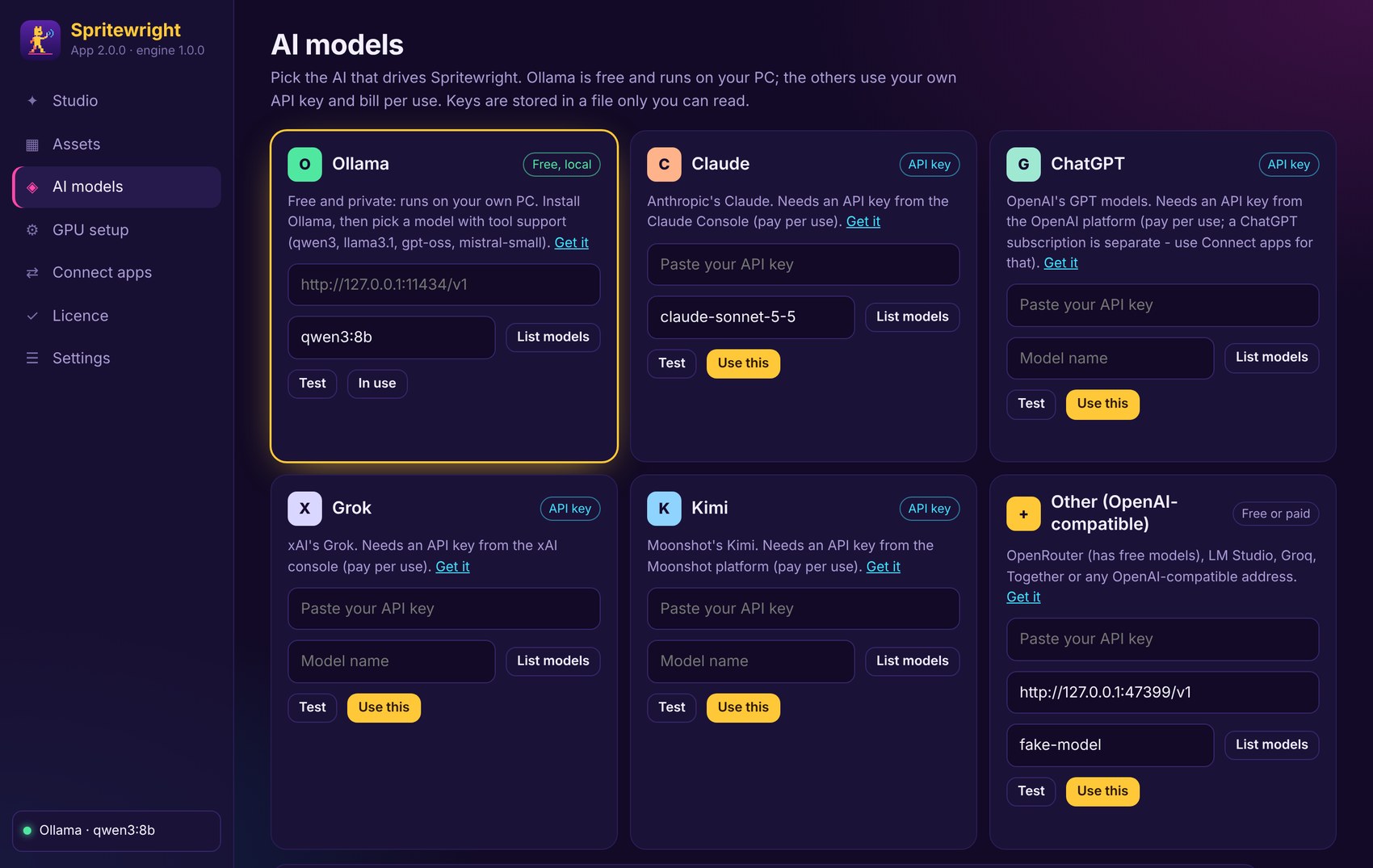
Runs local models such as Qwen 3 or Llama 3.1 on your own graphics card. No account, no bill. Smaller models get a focused set of tools so they stay on track.
Anthropic’s models, the strongest at planning a whole game in one go.
OpenAI’s GPT models.
xAI’s models.
Moonshot’s models.
OpenRouter, LM Studio, Groq or any service that speaks the OpenAI format.
New in 1.0
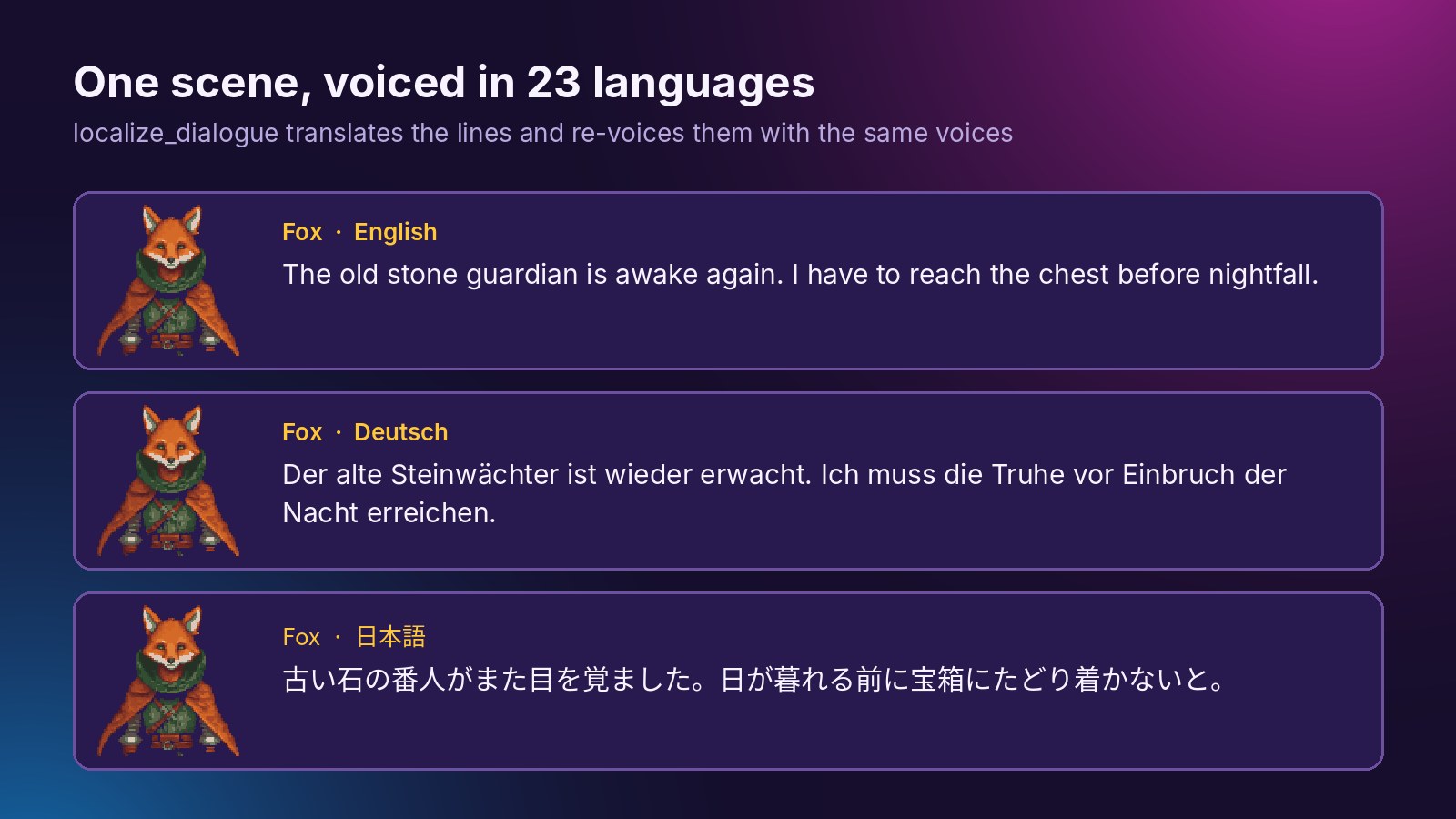
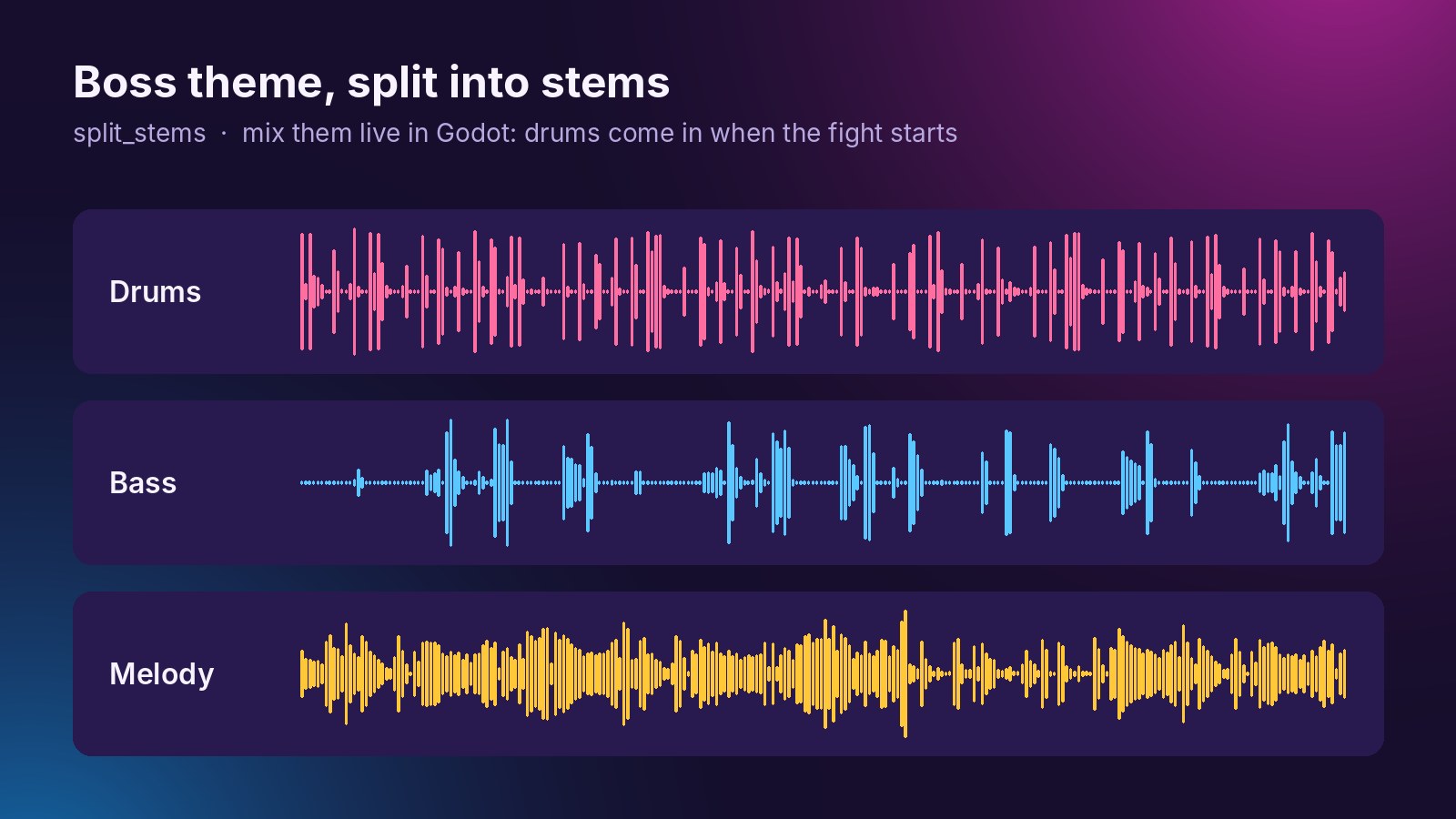
Version 1.0 builds the parts around the art: levels of three kinds, a boss fight with a story, menus and saves, dialogue in other languages, music you can mix, and exports for six engines.
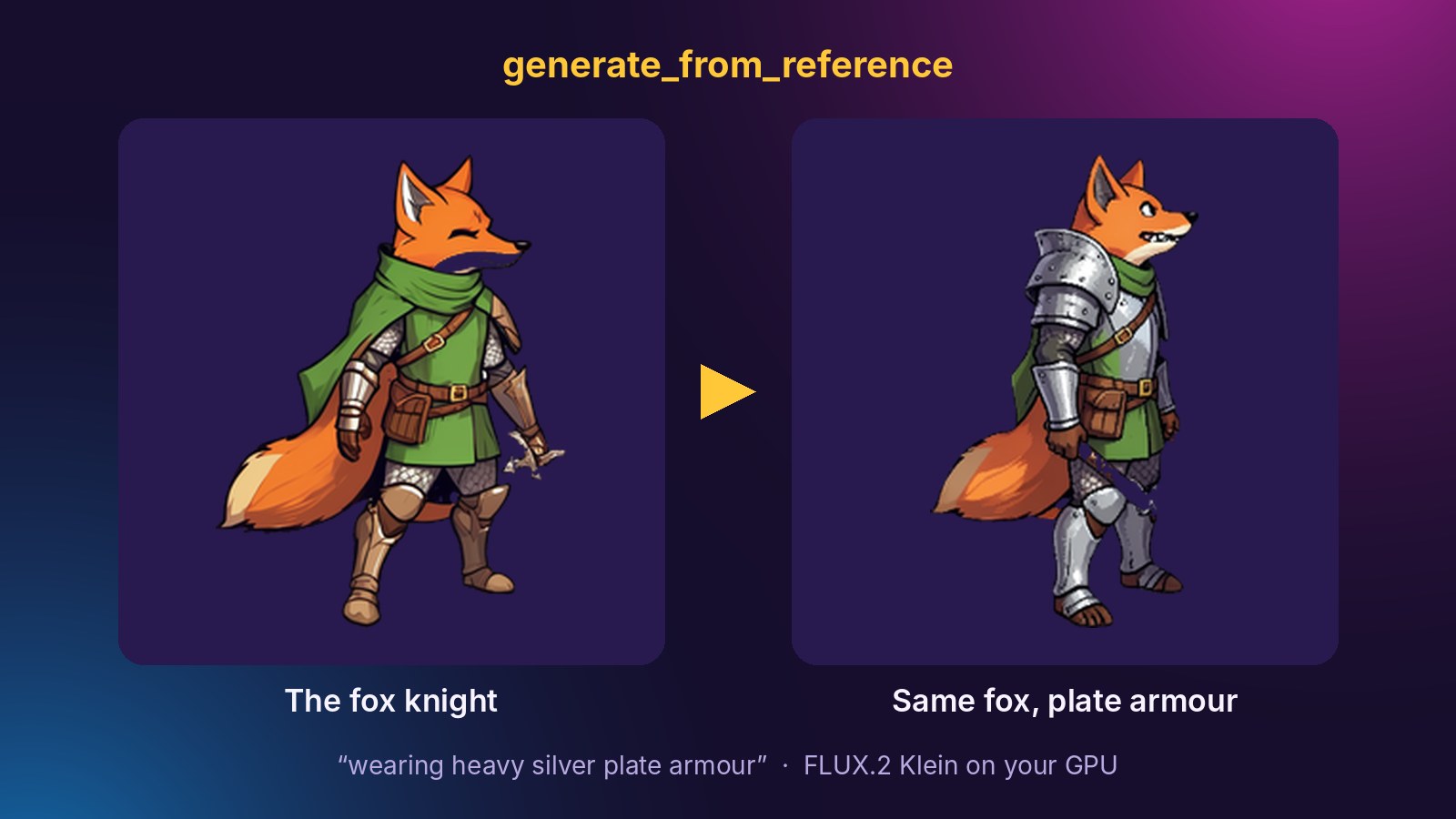
Why I built it
I make games in Godot on my own, and the part that always slows me down is art and animation. Drawing a character is one job; cutting it into parts, rigging it, animating a walk, an attack, a hit and a death, and wiring it into the game is five more. Then come the tiles, the items, the background and the UI. So I built a tool that does that part for me.
It runs on your own PC. Image generation uses your own graphics card through ComfyUI, so there are no credits, subscriptions or uploads, and rigging, animation and export need nothing extra at all.
How it works
Every step happens inside a normal chat, in the Spritewright app or the AI app you already use. You can stop at any point, look at the result and ask for changes.
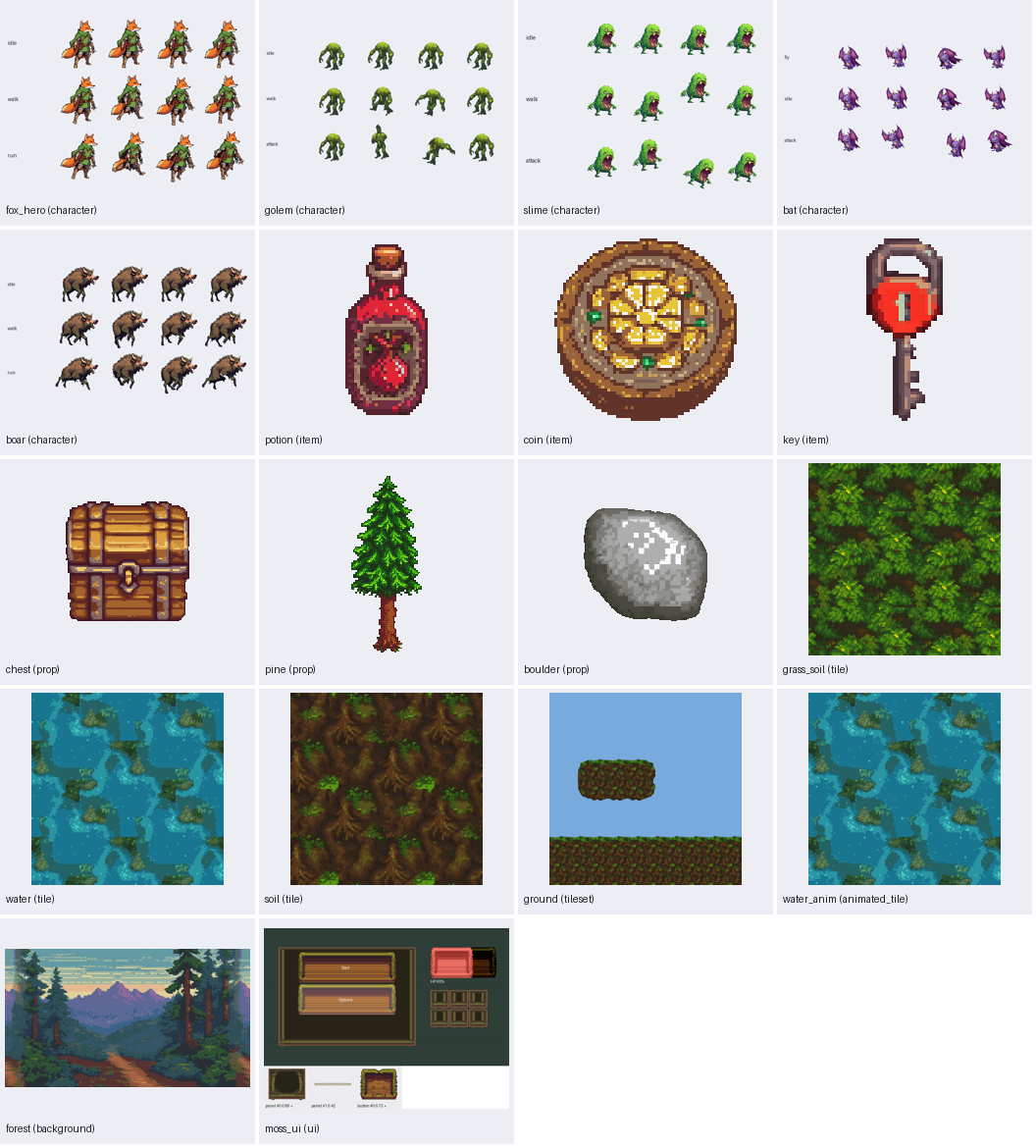
One message: “a cozy forest platformer with a fox knight, a stone golem, a slime, a bat and a boar, coins, a potion, grass ground, water, a forest backdrop and a wooden UI.” Your assistant turns it into an asset list.
A shared palette, outline colour, sizes and style words are locked for the project, so assets drawn separately still look like one set.
ComfyUI draws candidates with Stable Diffusion XL on your own graphics card. Each one is cut out, cleaned up, scored, and the best is picked.
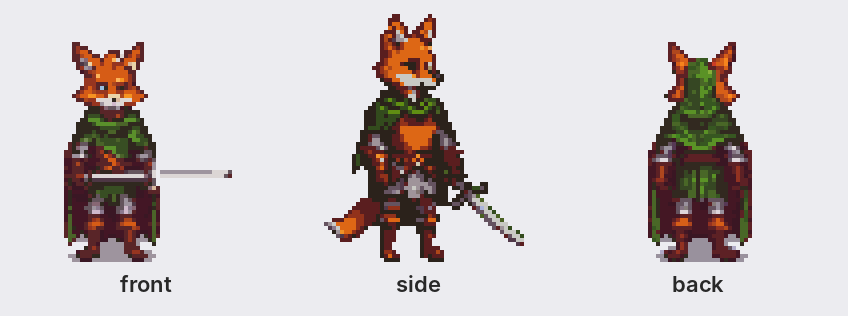
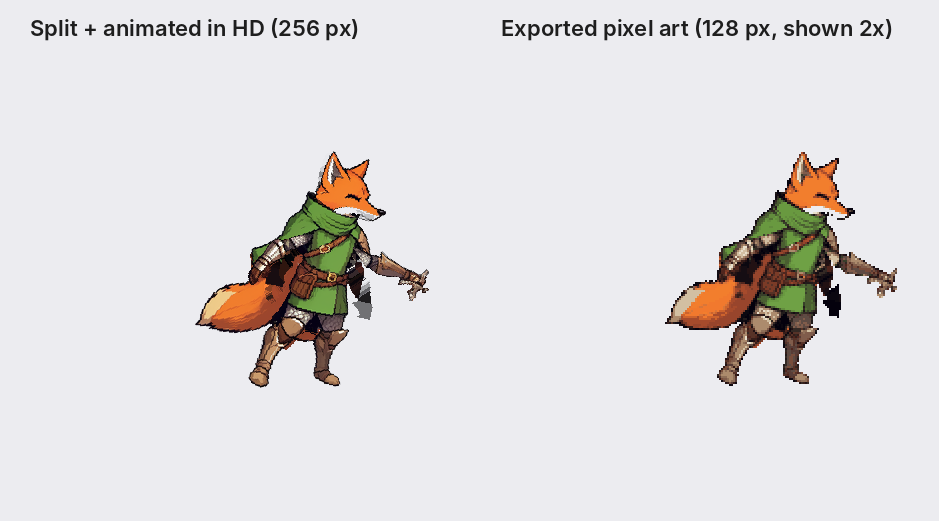
Characters are cut into parts by Meta’s SAM 3 on the full-size picture, rigged with bones and IK, given a move set that fits what they are, and checked for loose pixels.
Every character gets sounds that fit it and its moves, items get pickup sounds, menus get clicks, and the level gets an ambience loop and its own looping theme.
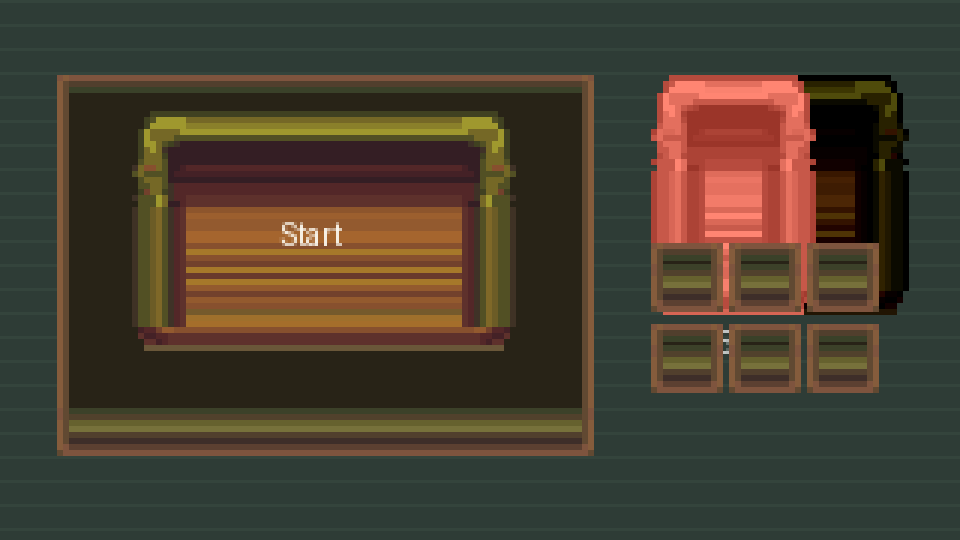
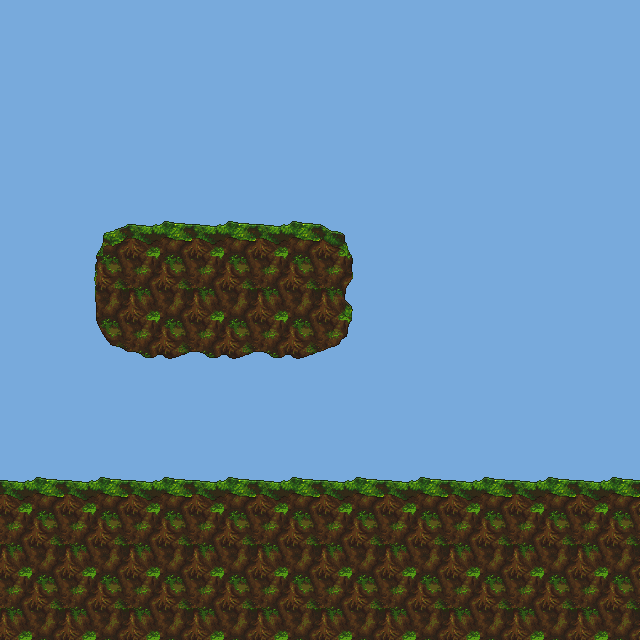
Sprite sheets with ready scenes that play their own sounds, terrain TileSets with collision, animated water, backgrounds, a UI Theme, music and a credits file all land in your project.
New in 0.5 · Sound and music
Sound effects for characters, monsters, items, props, places and menus, plus copyright-free music, generated on your own graphics card from a few words. Ask for it in plain language, or let it write the prompts for you.
“Give every character sounds that fit it, add pickup sounds and a looping forest theme.” Or add "sounds": true to a build list.
It reads each asset: a stone golem gets heavy stone footsteps, a ground-slam crash and a deep groan; a slime squelches; a bat flaps and screeches.
Stable Audio 3 draws the effects and ambience, ACE-Step 1.5 writes the music, through ComfyUI. A sound takes seconds, a minute of music about half a minute.
Effects are trimmed, normalised and faded. Music and ambience are cut to their full-energy part and crossfaded end-to-start, so they loop without a seam.
Characters play each sound on the right frame: the swing when an attack starts, footsteps on contact, the impact when the blow lands. Buttons get hover and click sounds in one line.
Every file keeps its prompt, seed and licence, and a CREDITS.txt lists them all for your store page. You own what you generate.
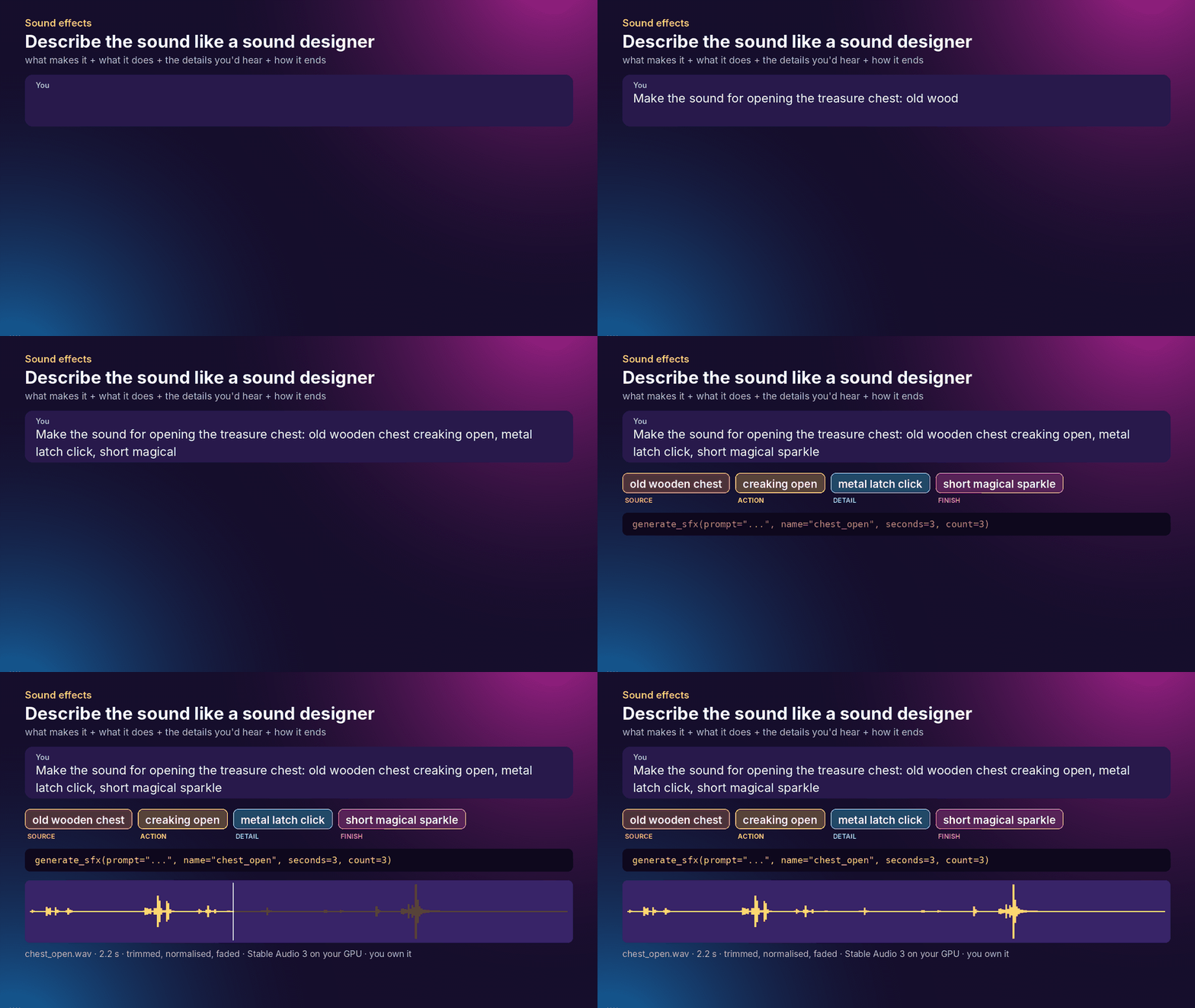
old wooden chest creaking open, metal latch click, short magical sparkle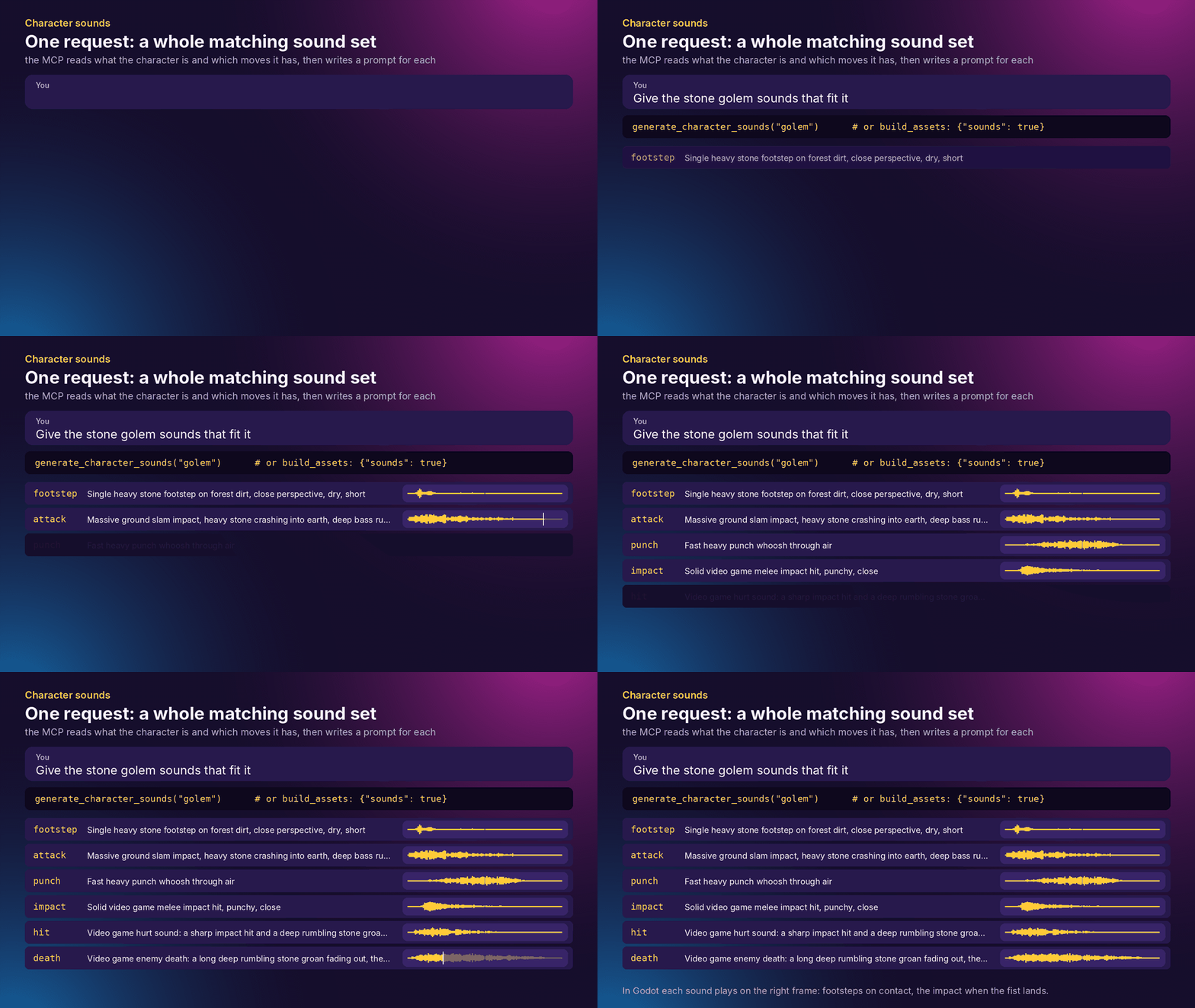
Give the stone golem sounds that fit it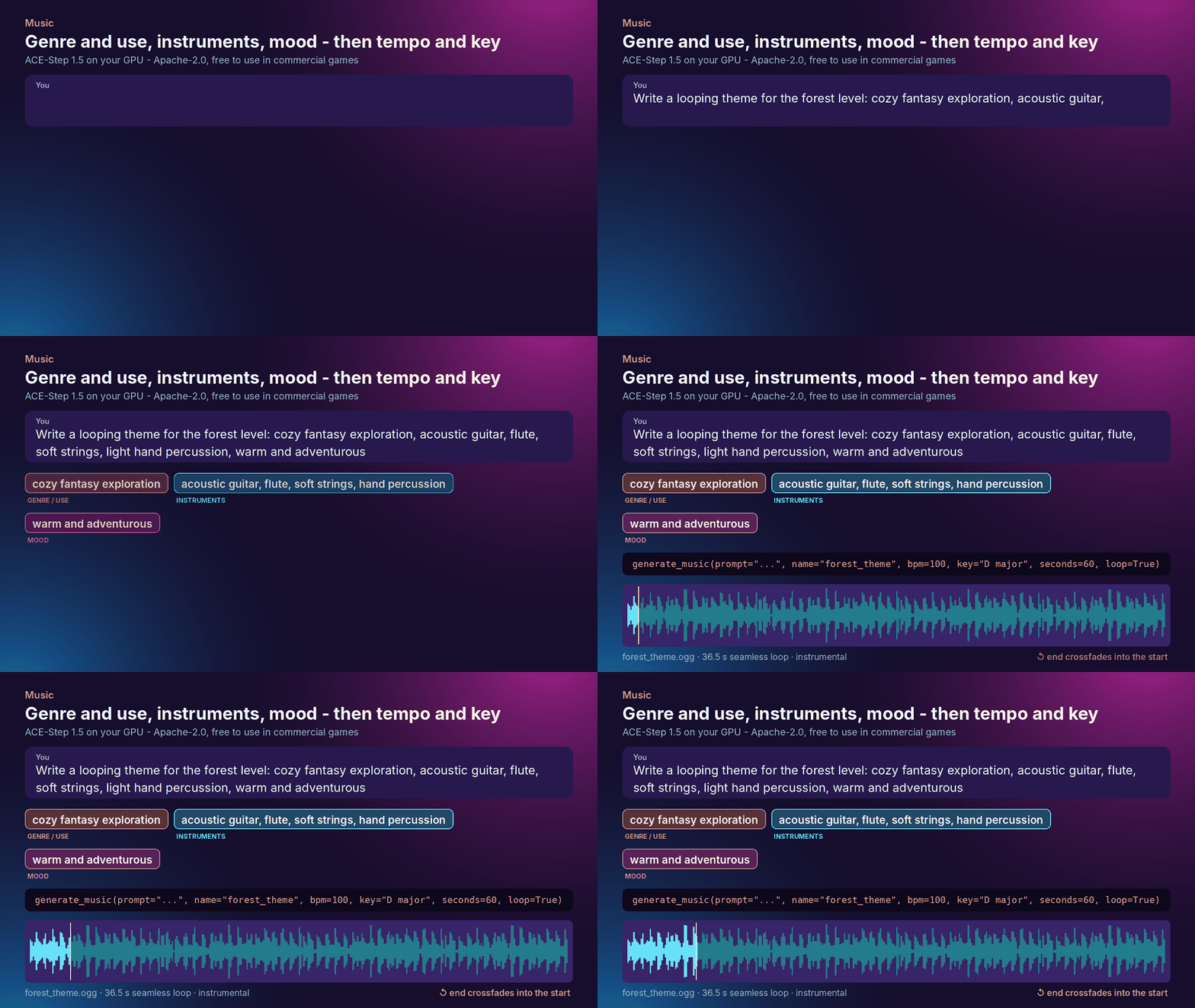
cozy fantasy exploration, acoustic guitar, flute, soft strings, warm and adventurous · 100 bpm · D majorNo GPU? Retro 8-bit sounds (coin, jump, hit, hurt, explosion, power-up, laser, blip, select, death) are synthesised on the spot. Already have tracks? Import your own or CC0 / CC-BY music and it’s looped and credited the same way. Licences: Stable Audio 3 Medium is under the Stability AI Community License (you own the output; commercial use is free under US$1M yearly revenue); ACE-Step 1.5 and 1.5 XL are MIT. See Licences.
New in 0.4
Version 0.4 turned the tool from a character animator into an art department: one list in, a complete, consistent set of game art out.
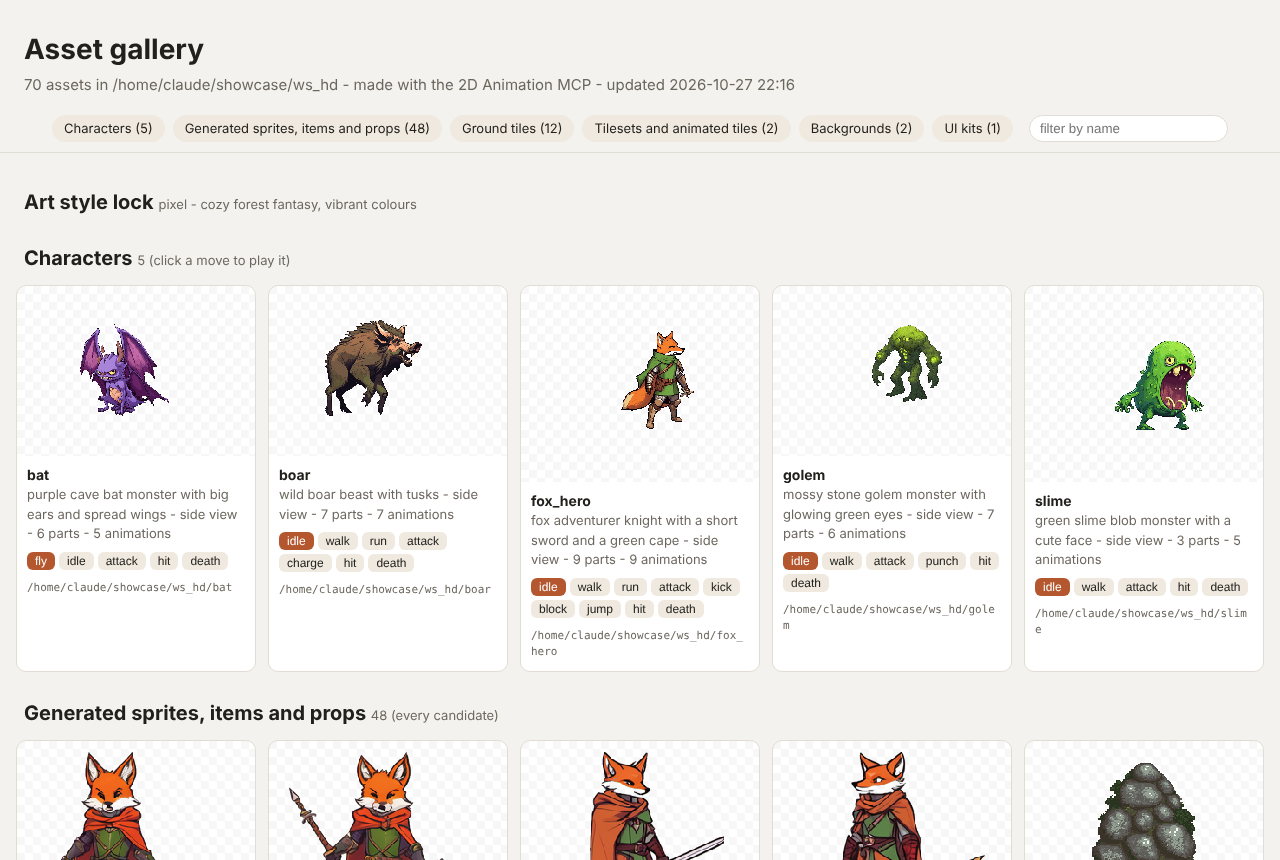
Animate
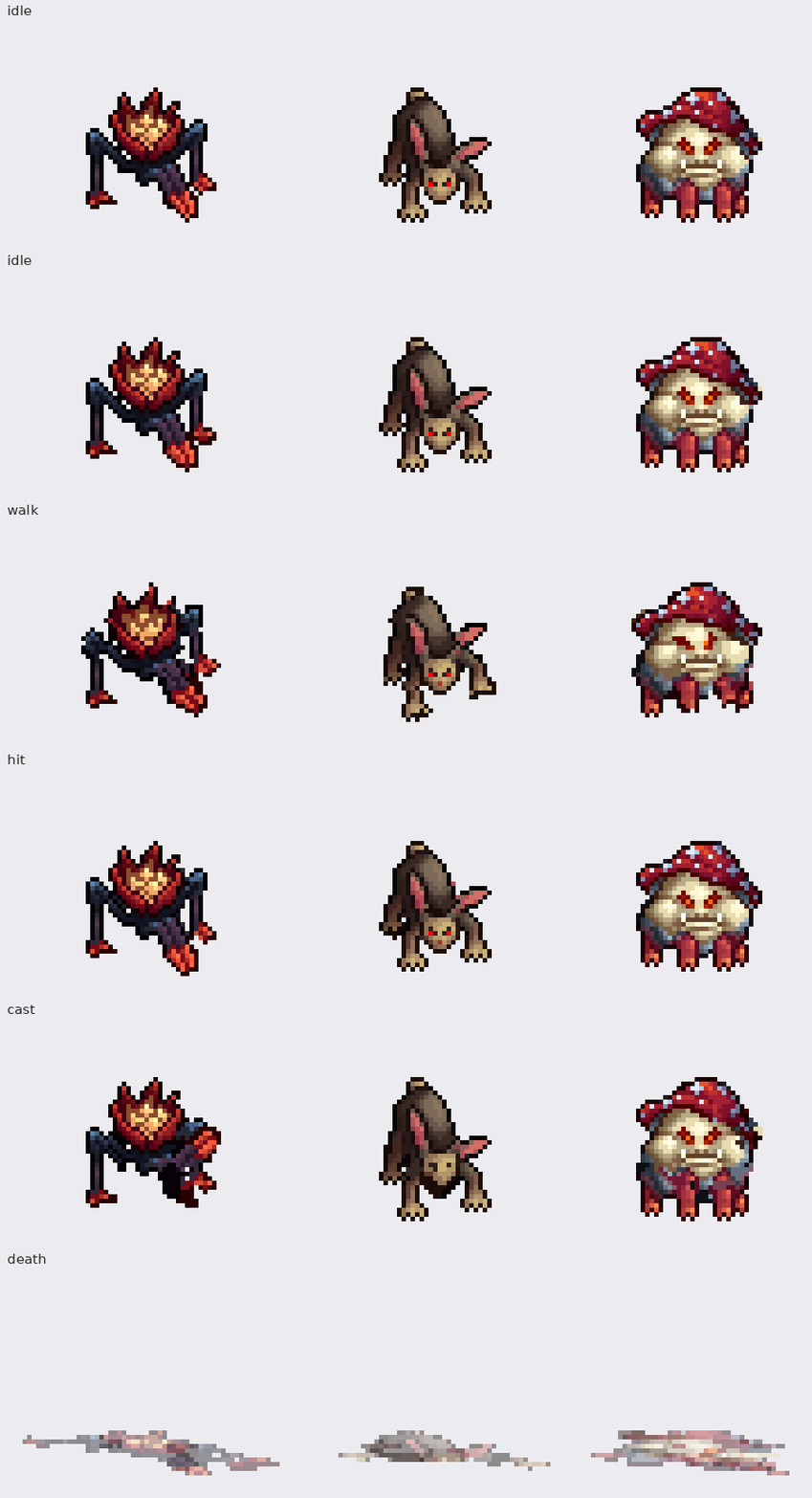
The plugin reads what each character is and picks its move set and personality. The Mossbound cast below got theirs from their one-line descriptions.
19 motions (idle, walk, run, fly, attack, hit, jump, death, crouch, cast, block, bite, hop, slither, slam, kick, throw, charge, swoop) in 6 personalities (normal, heavy, bouncy, sneaky, snappy, floaty). Tweak any of them by asking: “make the slam slower and heavier”.
The hand-work, handled
Export
Sprite sheets come with a Godot editor plugin that builds a ready scene: the sprite, Hitbox and Hurtbox areas that animate every frame, an AnimationPlayer with the events as method calls, and an AnimationTree where attacks and hits return to idle by themselves. Mossbound’s characters were built with it.
Bring your own art
You don’t have to generate anything. A layered Photoshop file, a folder of parts or a single flat sprite all work the same way. The frames aren’t AI-drawn: it’s your art, rigged and animated.
From one line of text
Still the simplest way in: describe one creature and watch it go from candidates to a rig, a walk, a slam and a fight. Candidates are scored for being side-on, whole, cleanly cut out and well-sized, and the best one is marked. You still pick.
What you need
Your assistant checks your setup and tells you exactly what’s missing. It finds your graphics card, NVIDIA, AMD or Intel, and installs the matching ComfyUI and the models for you in one step.
The 2.0 app on Windows 10 or 11 works with Ollama for free, or Claude, ChatGPT, Grok or Kimi with your own key. The 1.0 plugin adds itself to Claude Desktop, Cursor, Kimi Code, Windsurf or Codex. Rigging, animation and export need nothing else. Mac builds of the plugin are in testing.
An NVIDIA, AMD (Radeon RX 7000/9000, Ryzen AI Max; RX 6000 on Linux) or Intel Arc graphics card, ideally with 8 GB of video memory or more. One-click install of the official ComfyUI build for your card plus the free models: Stable Diffusion XL, pixel-art-xl and, optionally, Meta’s SAM 3 and a Real-ESRGAN upscaler.
Stable Audio 3 Medium for effects and ambience, and ACE-Step 1.5 for music, about 20 GB together, downloaded for you into ComfyUI. 8 GB of video memory is enough; with 12 GB or more, the optional ACE-Step 1.5 XL makes better-sounding music. Retro 8-bit sounds need nothing.
Godot 4 gets the most: scenes, TileSets, levels, menus, dialogue and the editor plugin. Unity, GameMaker, Phaser, Defold and Unreal get ready-made exports with importers; anything else can use Spine or sprite sheets.
Licences
Everything Spritewright uses allows commercial games. Here is what each part is under, and the one limit to know about.
Spritewright is made by Voxel Pulse Games and includes open-source libraries under MIT, BSD, Apache and similar licences. Every build comes with a THIRD_PARTY_NOTICES.txt file holding their licence texts.
The 11 built-in voices come from the CSTR VCTK Corpus and LibriSpeech. They are free for commercial games with credit, and audio_credits writes the credit lines into your game for you.
Sound effects come from Stable Audio 3, under the Stability AI Community License: you own what it makes and can sell it, free while your yearly revenue is under US$1M. Above that, Stability asks for an Enterprise licence.
These run on your PC and are downloaded from their official sources when you ask for them; each one’s own licence applies to you. Voices you clone from a recording need the speaker’s permission. In some countries, including the US, art made entirely by AI can’t be copyrighted, so others may be free to copy it; art you draw or change yourself is protected as usual. This is a plain-language summary, not legal advice.
A note on AI art
Mossbound, Little Singularity’s art and sounds, and the other examples on this page, including the voices and music made by Spritewright, were generated by AI on my own PC, to show the whole pipeline in one go. If you’d rather use your own art and audio, or AI isn’t allowed where you post, the rigging, animation, sound wiring and export work exactly the same on hand-drawn sprites and your own recordings, and that’s how I’d use it for anything I ship.